Audi Radio Navi Plus RNS-E (1. Gen.) ohne AMI
Directly to the compatible products
Do you have an Audi radio Navi Plus RNS-E (1st generation)? With us you can retrofit Bluetooth adapters, hands-free kits and much more.
For this radio you can get retrofits with the following functions from us:
-
 Stream Music by Bluetooth
 -
 Streaming from streaming provider possible (Deezer, Spotify, Apple Music, Amazon Music, Tidal, and many more)
 -
 Bluetooth hands-free function / speakerphone
 -
 Listen to music from the USB stick
 -
 AUX Connection
 -
 Charging function for your Smartphone
 -
 Fast charging function for your Smartphone
 -
 Advanced Noise Reduction - exklusiv
 -
 Free Losses Audio Codec - FLAC
 -
 Radio and multifunction steering wheel control
This factory-installed radio is model Audi Navi Plus RNS-E (1st generation) is locked with spring-loaded grippers. Removal tools are required for disassembly. They are highly recommended for non-destructive assembly.
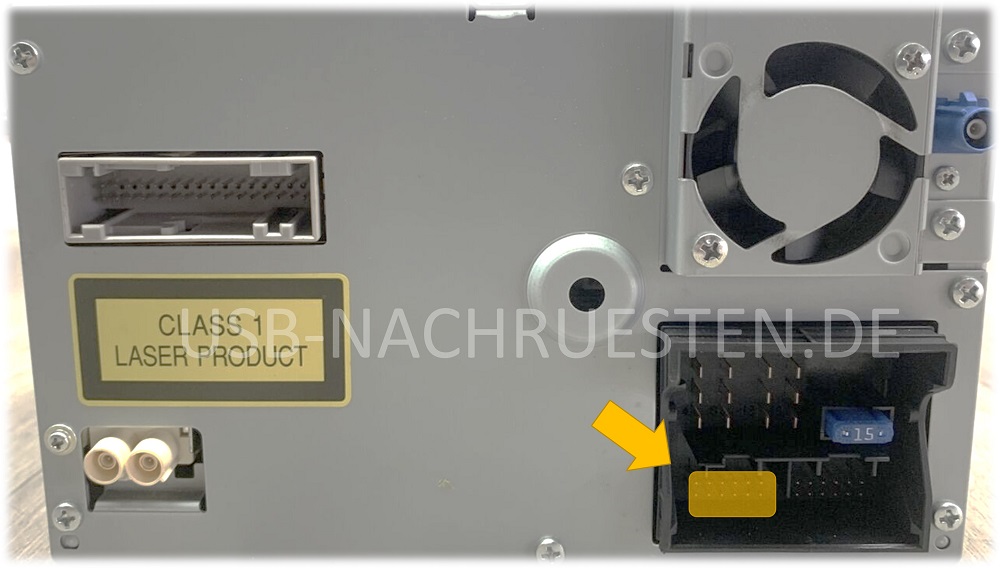
A Quadlock slot is used. The slot for the Streaming Box is the slot for the external CD changer. He is shown in the last photo.
Some radio models do not use the large slot that is suitable for the white plug of the steaming box, but a smaller one. Our streaming boxes are equipped for both connector variants. In the case of the smaller slot, you can use the smaller black connector that is surrounded by the larger white connector. Everything is described in detail in the instructions, so that assembly is very easy.
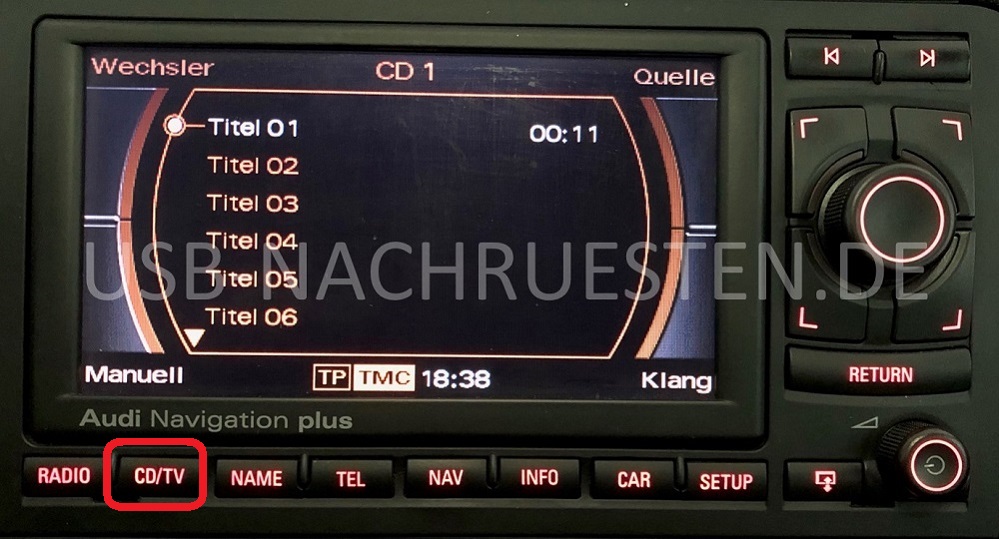
Special features of this radio model: It is the RNS-E radio of the 1st generation without Audi Music Interface (AMI) and without AMI slot in the glove compartment (pic. 3). You can recognize it by the CD/TV button. It does not work on the AMI platform. If you have a 2nd generation Audi Radio Navi Plus RNS-E, with MEDIA button, on AMI platform, then please select the appropriate radio model of the 2nd generation here.
This radio was installed in the following vehicles, among others:
- Audi A3 8P
- Audi A3 8PA
- Audi A4 B7
- Audi A6
- Audi TT AJ
- and many more
You can find the compatible products here: